Every plan starts from a goal.
Built for Mutual Fund Distributors, IFAs, and RIAs in India. Retirement, a child's education, a home. Each one gets a real funded % and an on-track status that updates on its own, so nobody has to remember to check. And every household decides, purpose by purpose, what Fleek can do with their data before it happens.
A goal has a status: on track, at risk, or behind.
Retirement, education, a home, an emergency fund, a wedding, becoming debt-free — whatever the goal, Fleek tracks the same three numbers behind it: a funded %, a target date, and how much the monthly SIP is short by. That gets recalculated as the plan changes, so it's never a projection from six months ago.
When a goal falls behind, the advisor sees it plainly. This is the actual line the product shows, not a marketing rewrite of it: "2 of 2 goals are off track — Retirement needs attention first."
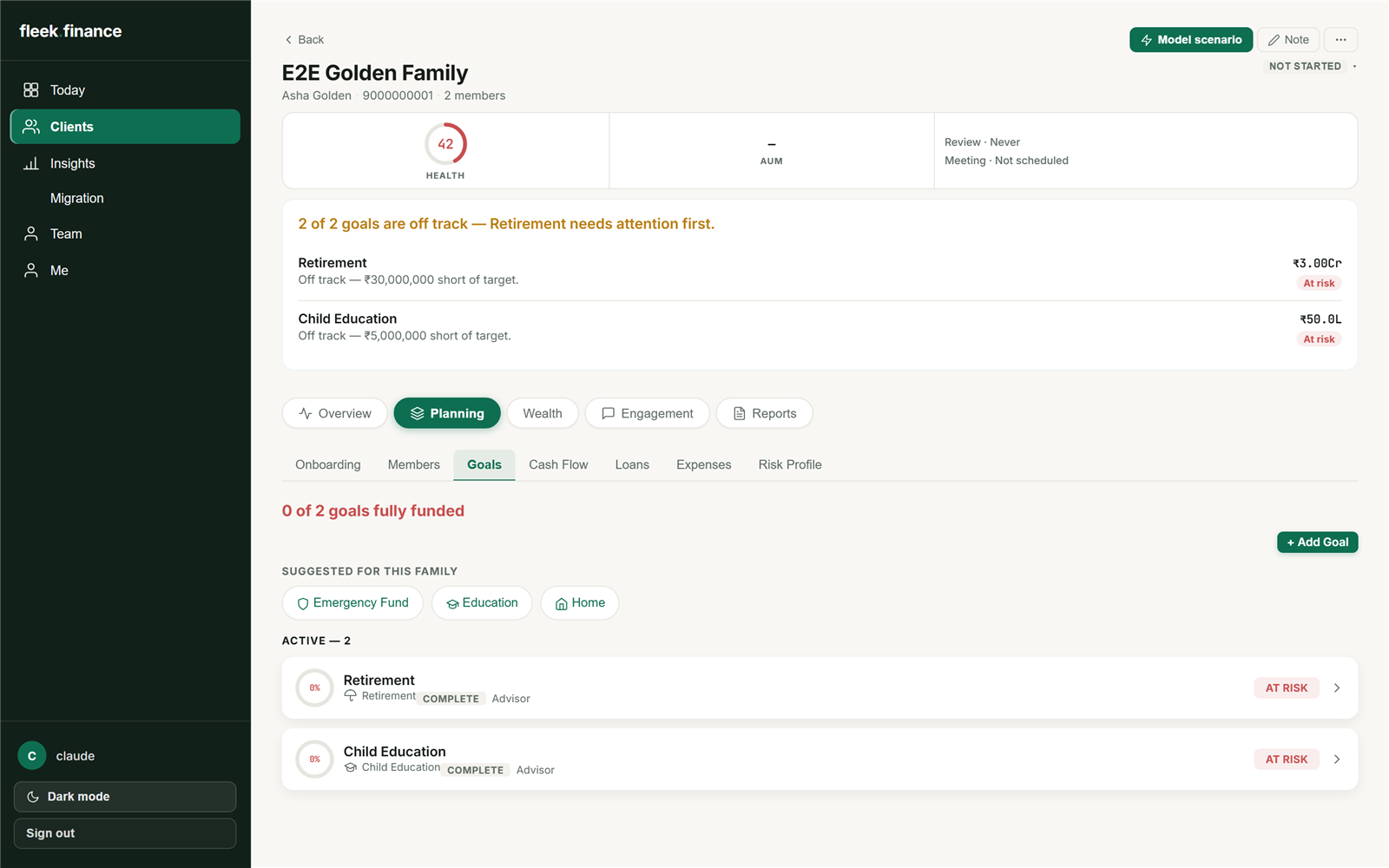
Advisor workspace — Goals tab, real screenshot
On the client's phone, each goal is a stop on a timeline.
The client app lays goals out on a path running from today to the target year, color-coded and tappable, so it's obvious at a glance which ones need attention. If a client adds a goal themselves, it shows up as a dashed outline marked awaiting advisor review until the advisor approves it — a client can suggest, but nothing joins the actual plan without the advisor signing off.
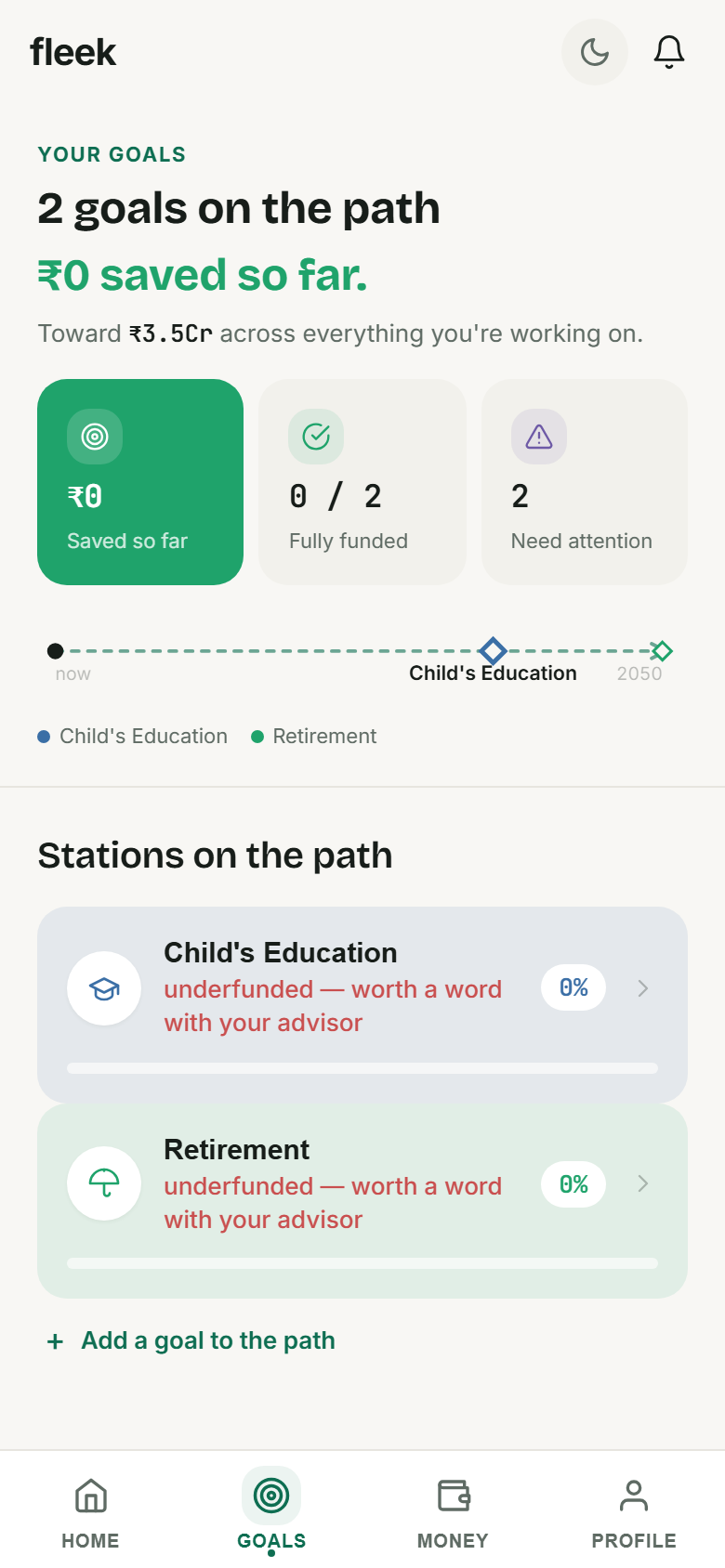
Client app — Goals, real screenshot
Four screens from the advisor side.
A household cockpit organized around the goal and the risk, not a generic client list.
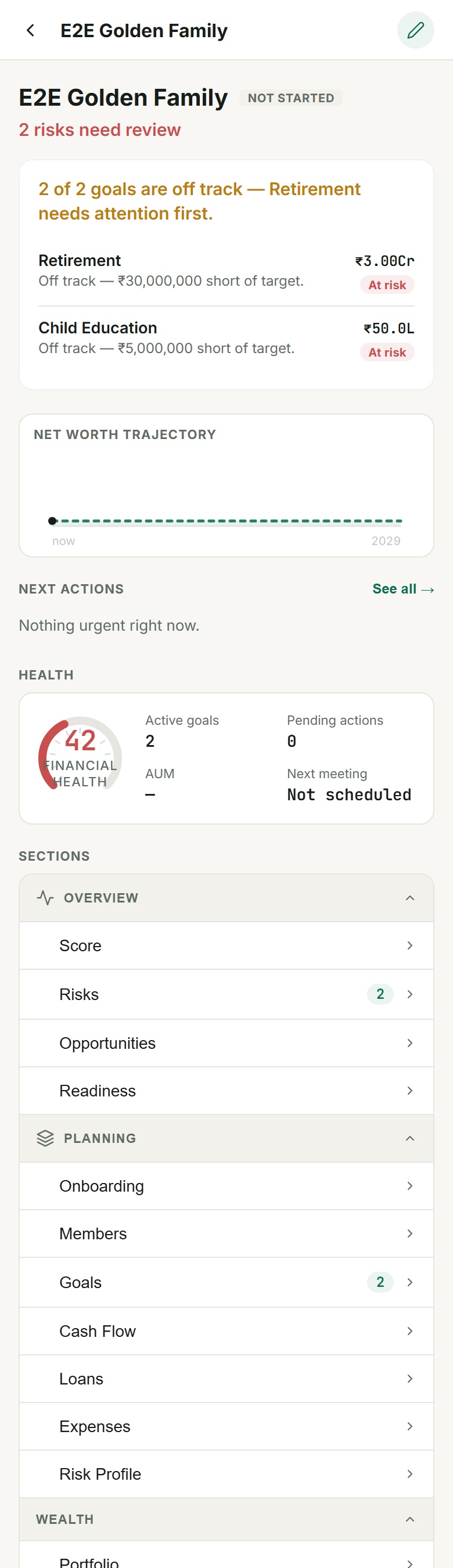
Cockpit
The first thing an advisor sees for a household: which goals are at risk, where net worth is headed, and what to do next.
Goals
Every goal's funded % and how much more it needs a month, with room for the advisor to jot down what happens next.
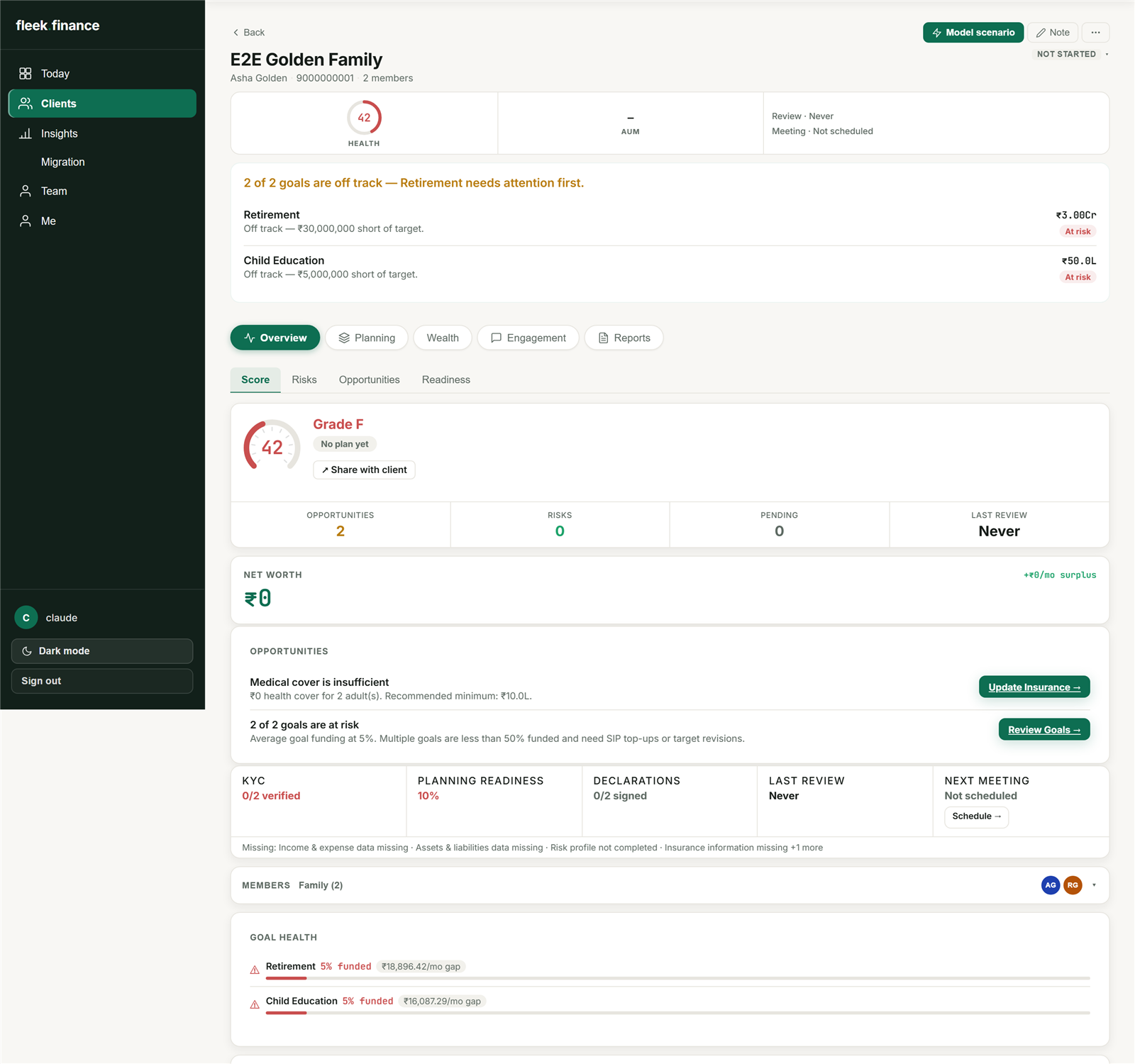
Financial Health
A single score for the household, broken down into three parts, with the specific gaps behind it spelled out underneath.
Four screens from the client's side.
The app describes itself as a letter from your advisor, in four chapters. That's a fair description of how it reads.
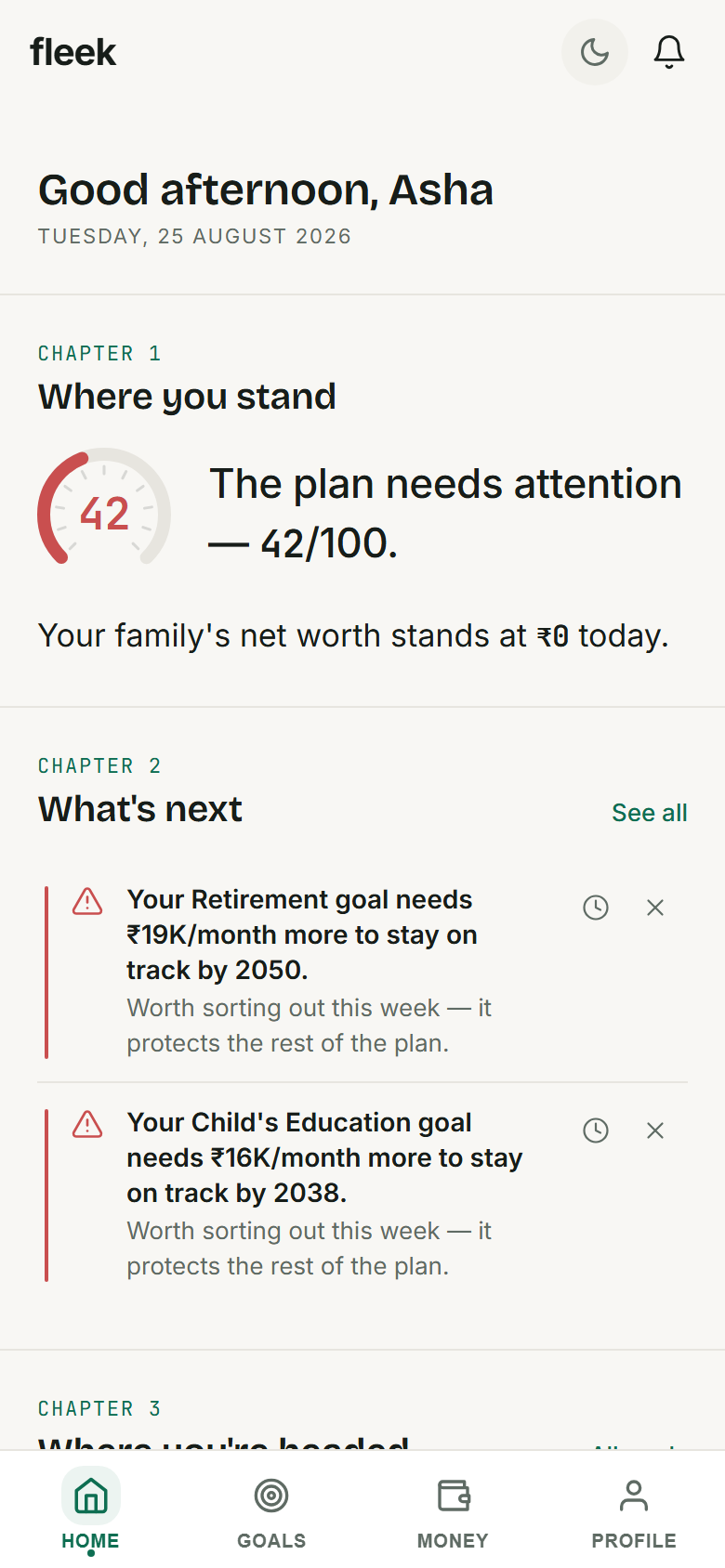
Home
Opens with "Good afternoon, Asha," then walks through where things stand and what needs doing, in plain sentences rather than a wall of numbers.
Goals
Each goal sits on the path to its target year, with how much is saved so far and whether it's worth a call with the advisor.
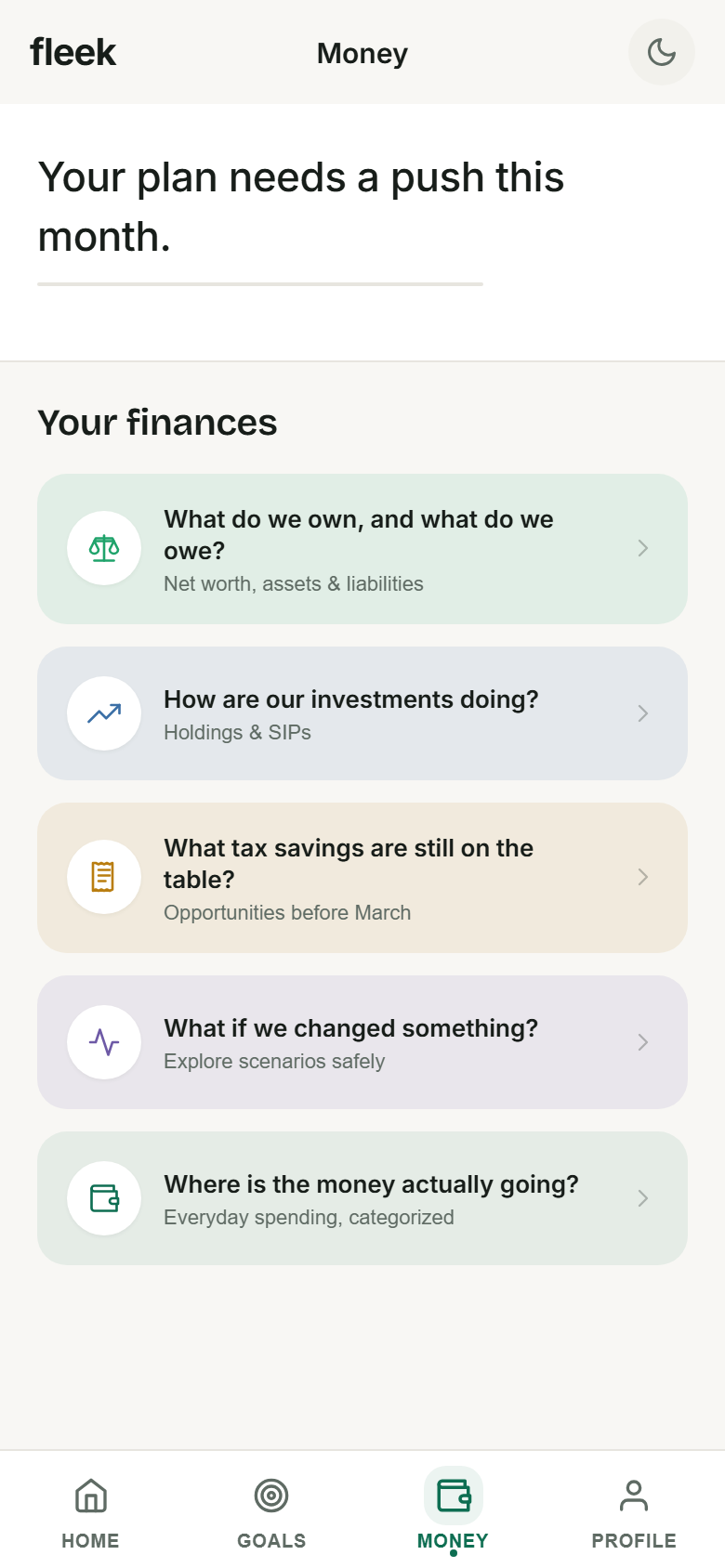
Money
Laid out as the questions a client actually has: what do we own and owe, how are the investments doing, what if something changed.
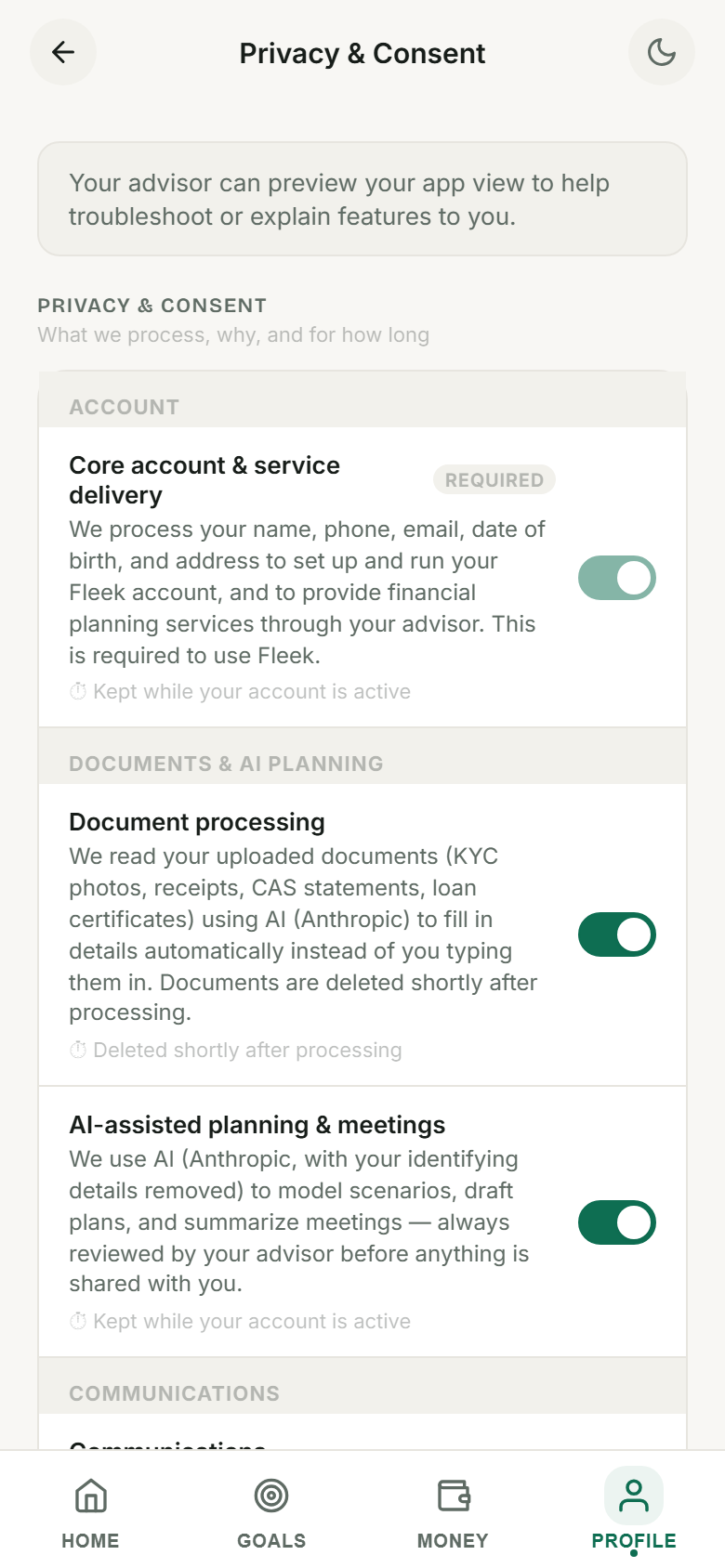
Privacy & Consent
A plain list of what Fleek processes and why, each with its own switch. More on this below.
How Fleek asks for consent, and what it does with it.
India's DPDP Act treats consent as something a person can see, understand, and take back, not a box ticked once at signup. Fleek's consent system works that way already, ahead of the Act's rules coming into full force.
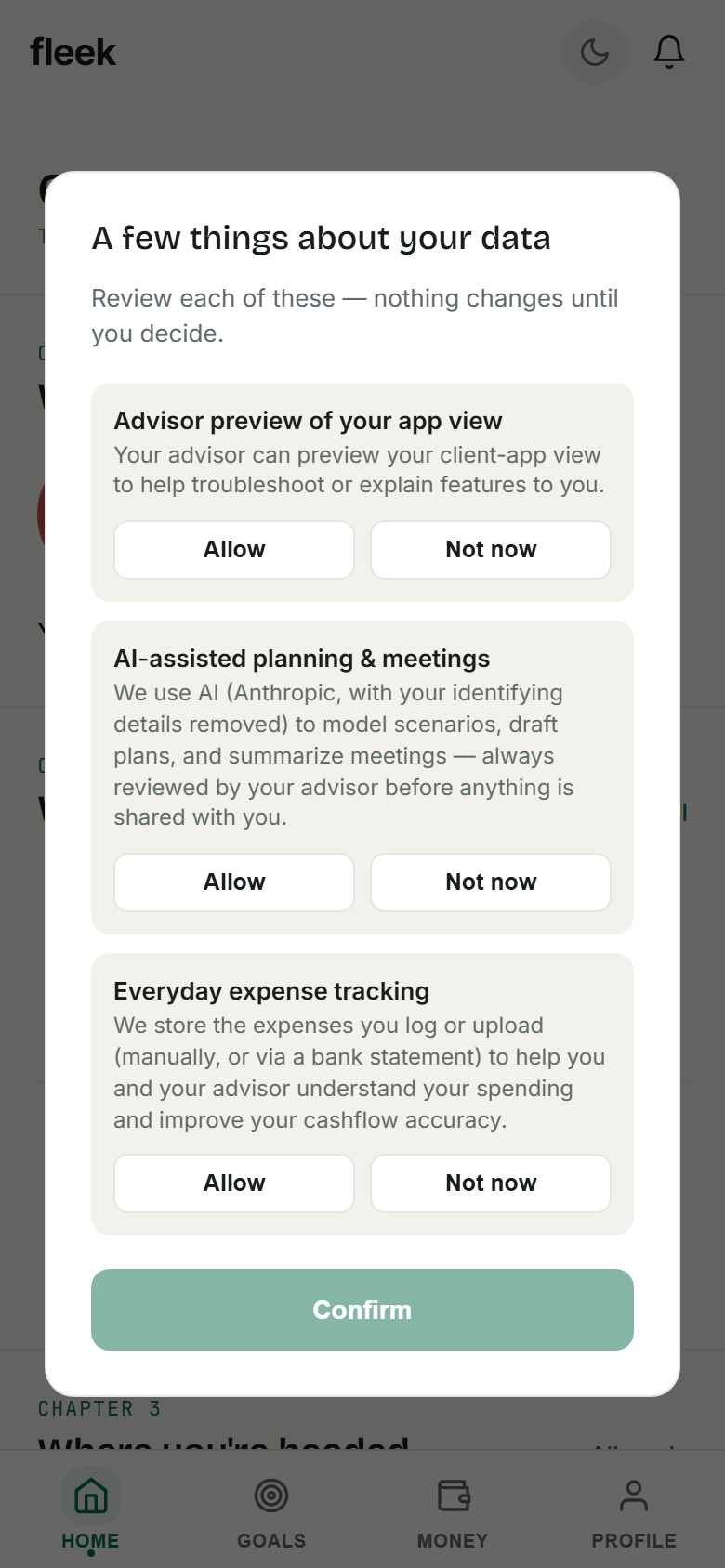
Purpose-by-purpose consent, real screenshot
Privacy & Consent settings, real screenshot
Separate consent for separate purposes
Document processing, AI-assisted planning, WhatsApp updates, bank-statement reading, and a few others each get their own named purpose, and a client can say yes to one and no to another.
Turning something off tells you what breaks
If a purpose is tied to a feature, the app says so before you switch it off, so the choice is informed rather than a surprise later.
Sensitive fields are encrypted individually
PAN, phone number, email, and bank account details are each encrypted on their own, with keys managed through a self-hosted vault, rather than relying on one blanket database encryption setting.
You can ask for your data, or ask us to delete it
Export happens automatically. A deletion request goes to a person who reviews it, since removing an account isn't something we want to get wrong.
A real grievance officer, named and reachable
The Act requires a specific point of contact for data concerns, not a support inbox. Every household can see who that is.
Scenarios start as a question, not a form.
A client opens "What-if scenarios" and picks the question they actually have — not a blank calculator asking them to guess at inputs.
- "What if we put more toward a goal?"
Adjust a SIP and see the goal move. - "What if we invest a lump sum today?"
See where a one-time amount lands. - "What would a big life event change?"
A career break, a new child, a new home loan, early retirement.
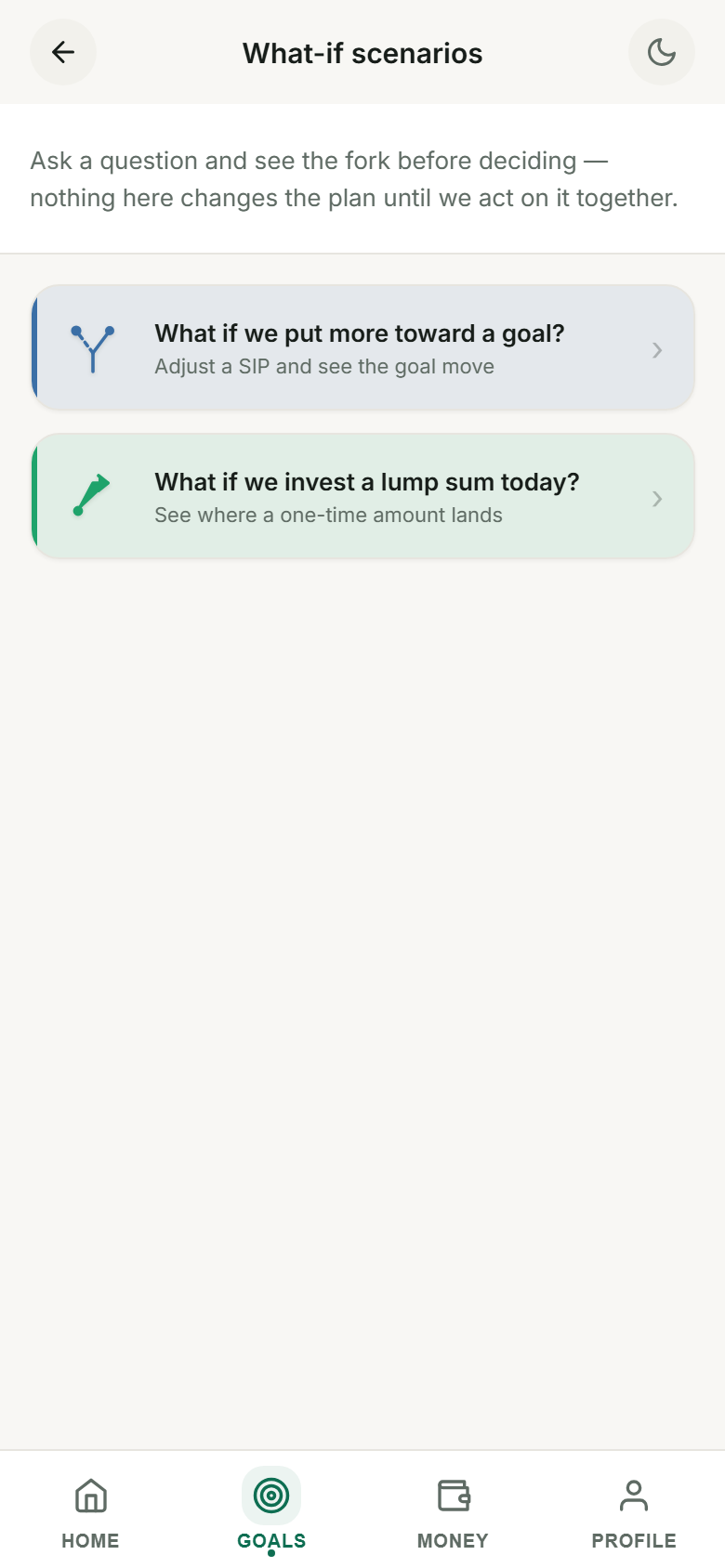
What-if scenarios, real screenshot
Ready to see it on your own book?
We'll walk through the advisor and client portals with a sample household close to your real practice.